You are an experienced programmer and have a problem with the engine, shaders, or advanced effects? Here you'll get answers. No questions about C++ programming or topics which are answered in the tutorials!
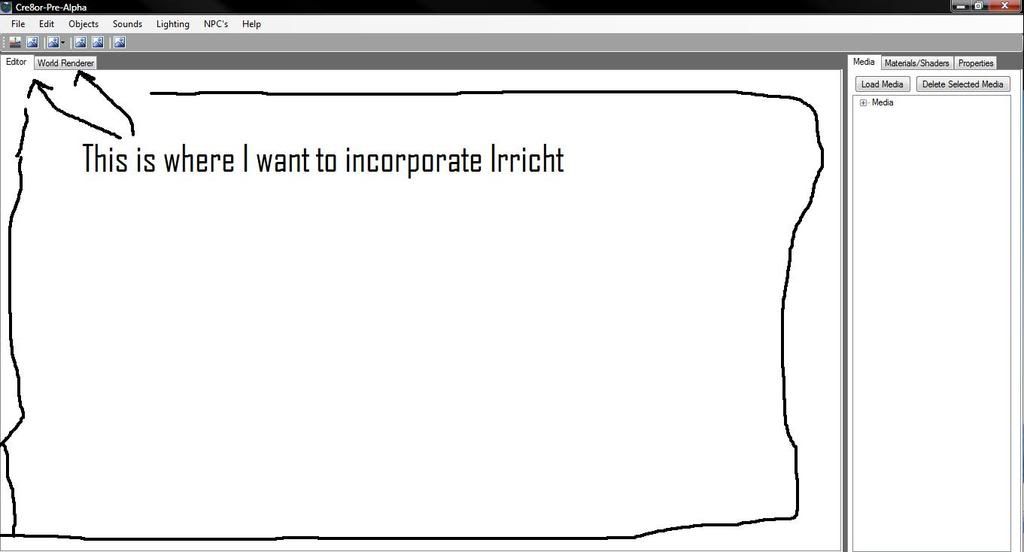
Recently I have been working on my own game engine. I was wondering if I could use irrlicht's source code and incorporate it into my engine. If this is possible how would i go about doing this. I am useing Visual Studio C++. I would like to use it as the renderer.
I find that creating tool pipelines instead of massive scale tools is better.things like max,maya,blender all have scripting and its easier then falling down a well.
Making a 'game engine' is a large task,and instead of spending a year on a half functional editor, look into coming up with a simple data format..pumping things out of a normal 3d app with attributes,and then loading them at run time.this is normal for most game engines.
There was an awesome talk from xna gamefest 2007,it covers a lot of information on halo3 and other game engines that use this kind of process,where creating a level editor when you can already load a level,makes things much easier.
Check the microsoft.com website and search for gamefest slides.
Wdenslow wrote:But, how would I go about doing this? I see the example. Thats exactly what I want.
And you have the source that shows you how to do it. If you have a specific question or problem, then we can help you. Without knowing more about your requirements, there's not much we can say other than that.
Wdenslow wrote:Edit: Maybe I should incorporate irrEdit. I'm looking for a 3d editor window and renderer.
IrrEdit is a separate closed source product, unless you want to pay its author for a source license. IrrEdit uses Irrlicht as its renderer, which should give you confidence that you can do likewise.
Hey I'm back again to give you guys another headache.
Ok, so I went through the code for example 14. There are two parts to the code; The windows specific one, and the Irrlicht specific one. Does the windows specific coding only create a window for Irrlicht to use?
You can use pretty much any Window handle. Note that the example creates a (literal) "BUTTON" class Window. Presumably your editor app has a client Window with an HWND that you can tell Irrlicht to render into?
So I loaded all the files like the tut showed me, but when I went to build my program I had seven build errors.
Error 1 error C3862: 'irr::IReferenceCounted::drop': cannot compile an unmanaged function with /clr:pure or /clr:safe c:\users\will\downloads\c\irrlicht-1.5\irrlicht-1.5\include\IReferenceCounted.h 116
Error 2 error C3821: 'irr::IReferenceCounted::~IReferenceCounted': managed type or function cannot be used in an unmanaged function c:\users\will\downloads\c\irrlicht-1.5\irrlicht-1.5\include\IReferenceCounted.h 124
Error 3 error C3642: 'void *irr::IReferenceCounted::__delDtor(unsigned int)' : cannot call a function with __clrcall calling convention from native code c:\users\will\downloads\c\irrlicht-1.5\irrlicht-1.5\include\IReferenceCounted.h 124
Error 4 error C3645: 'irr::IReferenceCounted::drop' : __clrcall cannot be used on functions compiled to native code c:\users\will\downloads\c\irrlicht-1.5\irrlicht-1.5\include\IReferenceCounted.h 116
Error 6 error C3641: 'CustomWndProc' : invalid calling convention '__stdcall ' for function compiled with /clr:pure or /clr:safe c:\Users\Will\Downloads\C\irrlicht-1.5\irrlicht-1.5\examples\14.Win32Window\main.cpp 26
Error 7 error C2664: 'FindWindowW' : cannot convert parameter 1 from 'const char [9]' to 'LPCWSTR' c:\Users\Will\Downloads\C\irrlicht-1.5\irrlicht-1.5\examples\14.Win32Window\main.cpp 61
Error 8 fatal error C1903: unable to recover from previous error(s); stopping compilation c:\Users\Will\Downloads\C\irrlicht-1.5\irrlicht-1.5\examples\14.Win32Window\main.cpp 61