now i want to combine more than one IImages to save it to one image file. (through screenshots)
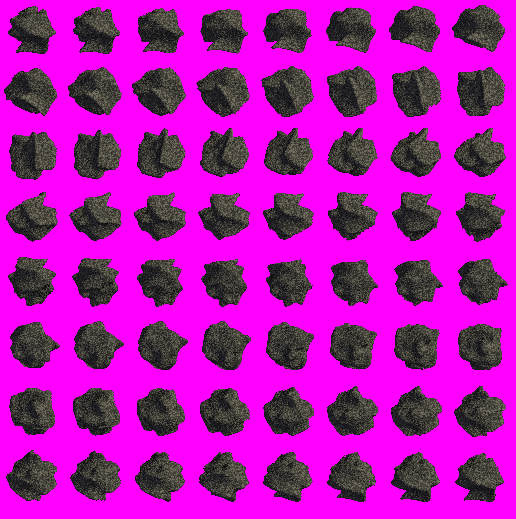
in the end it should look like this:
Code: Select all
        //! copies this surface into another
        virtual void copyTo(IImage* target, const core::position2d<s32>& pos=core::position2d<s32>(0,0)) =0;

        //! copies this surface into another
        virtual void copyTo(IImage* target, const core::position2d<s32>& pos, const core::rect<s32>& sourceRect, const core::rect<s32>* clipRect=0) =0;

        //! copies this surface into another, using the alpha mask and cliprect and a color to add with
        virtual void copyToWithAlpha(IImage* target, const core::position2d<s32>& pos,
                        const core::rect<s32>& sourceRect, const SColor &color,
                        const core::rect<s32>* clipRect = 0) =0;
Code: Select all
virtual IImage * createImage (ITexture *texture, const core::position2d< s32 > &pos, const core::dimension2d< u32 > &size)=0 Creates a software image from a part of a texture.
Code: Select all
video::ITexture* prevSprite;Code: Select all
void scene_initPrevTexture(){
    if (driver->queryFeature(video::EVDF_RENDER_TO_TARGET)){
        prevSprite = driver->addRenderTargetTexture(core::dimension2d<u32>(512,512), "RTT1");

        // add fixed camera
        fixedCam = smgr->addCameraSceneNode(0, core::vector3df(0,0,-150));
    }
    else{
                error(L"Your driver cannot render to texture");
    }
}Code: Select all
void scene_updatePrevTexture(){
    // set render target texture
    driver->setRenderTarget(prevSprite, true, true, rendercolor);

    // make cube invisible and set fixed camera as active camera
    smgr->setActiveCamera(fixedCam);

    // draw whole scene into render buffer
    smgr->drawAll();

    // set back old render target
    // The buffer might have been distorted, so clear it
    driver->setRenderTarget(0, true, true, 0);

    // make the cube visible and set the user controlled camera as active one
    smgr->setActiveCamera(cam);
}Code: Select all
void save(){
        video::IImage* export_img = driver->createImage(prevSprite,core::vector2d<s32>(0,0),core::dimension2d<u32>(512, 512));
        driver->writeImageToFile(export_img, L"one.dds");
}Code: Select all
    while (device->run()){
                driver->beginScene(true, true, rendercolor);

                //smgr->drawAll();

                scene_updatePrevTexture();
                driver->draw2DRectangle(video::SColor(100,255,255,255), core::rect<s32>(0, 0, resX, resY));
                driver->draw2DImage(prevSprite, core::position2d<s32>(4,24), core::rect<s32>(0,0,512,512), 0, video::SColor(255,255,255,255)/*, true*/);

                gui_render();
            //smgr->drawAll();
                guienv->drawAll();

                driver->endScene();
    }

