Post Your Irrlicht Screenshots / Render Here.
Re: Post Your Irrlicht Screenshots / Render Here.
@REDDemon: Hehe, didn't know that. In this case it can certainly be seen as a hommage to 2001 :-)
IRC: #irrlicht on irc.libera.chat
Code snippet repository: https://github.com/mzeilfelder/irr-playground-micha
Free racer made with Irrlicht: http://www.irrgheist.com/hcraftsource.htm
Code snippet repository: https://github.com/mzeilfelder/irr-playground-micha
Free racer made with Irrlicht: http://www.irrgheist.com/hcraftsource.htm
Re: Post Your Irrlicht Screenshots / Render Here.
I fixed an issue that caused the dx9 device to reset and erase the rtt.
inside the moon atmosphere
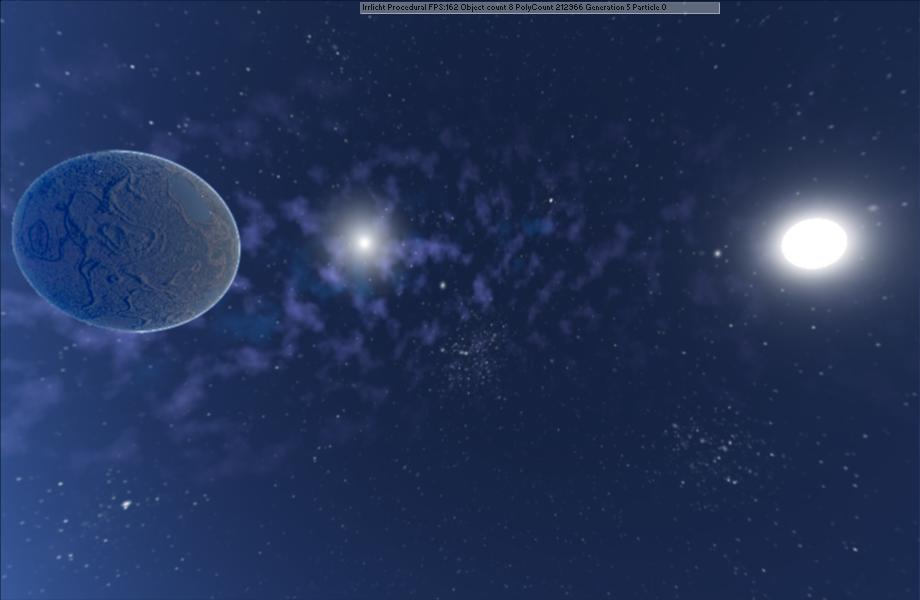
Outside the moon atmosphere

I also partly fixed vertex texture in DX9
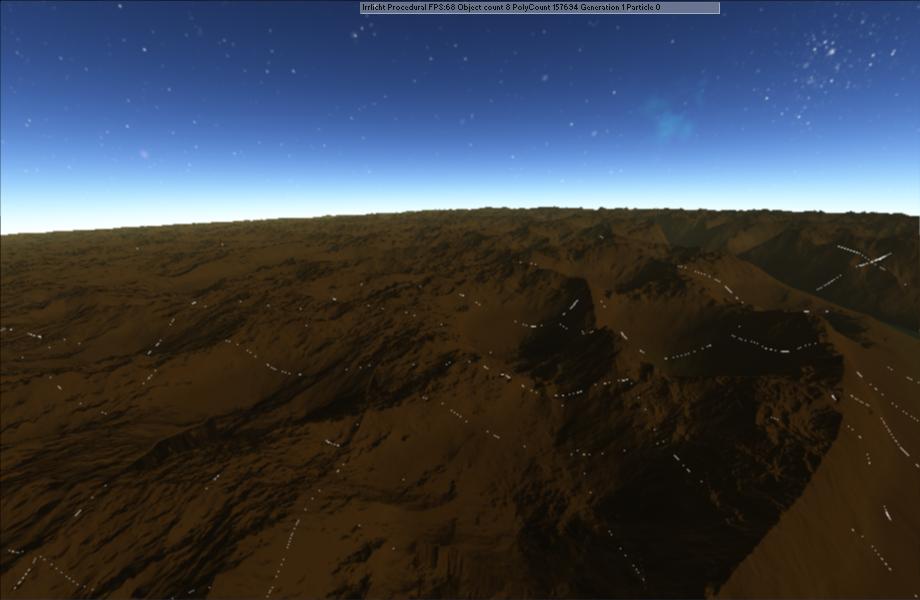
i just need some specification on how i should build the patch to get it integrated into irrlicht
inside the moon atmosphere
Outside the moon atmosphere
I also partly fixed vertex texture in DX9
i just need some specification on how i should build the patch to get it integrated into irrlicht
Re: Post Your Irrlicht Screenshots / Render Here.
nice hommage 
ahh.. missing like button for these screenshots XD
ahh.. missing like button for these screenshots XD
Junior Irrlicht Developer.
Real value in social networks is not about "increasing" number of followers, but about getting in touch with Amazing people.
- by Me
Real value in social networks is not about "increasing" number of followers, but about getting in touch with Amazing people.
- by Me
Re: Post Your Irrlicht Screenshots / Render Here.
Those LOD seams bother me 
Re: Post Your Irrlicht Screenshots / Render Here.
Post it on the patch-tracker and maybe add a thread on the forum about it, that's pretty much it. Smaller patches and patches explained well & tested and maybe even with an example to reproduce get applied faster (because otherwise the first step for us is often that we have to write an example first to reproduce whatever is said to be the problem which turns out to be not a problem at all in the majority of cases unfortunately, certainly not saying this is the case here just telling you the ugly reality of things). Additional nagging maintainers once in a while (by updating the forum post for example and asking what's going on) might (unfortunately) also help sometimes (we always have way more on our todo's than we can work off, but we try go give stuff people really need a high priority usually - which again is a little tricky as everyone needs his own fixes most, etc...).Granyte wrote:I fixed an issue that caused the dx9 device to reset and erase the rtt.
<snip some nice screenshots>
i just need some specification on how i should build the patch to get it integrated into irrlicht
Ah ... that was probably a too detailed answer, sorry ;-)
IRC: #irrlicht on irc.libera.chat
Code snippet repository: https://github.com/mzeilfelder/irr-playground-micha
Free racer made with Irrlicht: http://www.irrgheist.com/hcraftsource.htm
Code snippet repository: https://github.com/mzeilfelder/irr-playground-micha
Free racer made with Irrlicht: http://www.irrgheist.com/hcraftsource.htm
Re: Post Your Irrlicht Screenshots / Render Here.
i'm not sure it was a problem it's just that the dx9 driver reset the first time you draw to the screen and this way erasing the content of the RTT and i was filling my first level heightmap befor rendering so they were getting erased.
i have no idea why it's doing this or how to stop it so i simply added a draw to scren call befor rendering my heightmap.
what i have a patch for is vertex texture and 16 texture in dx9 and there is already a thread for both of these issue
The lod seams will get fixed in time i completly changed the way my mesh was built 6 time in the last month
i have no idea why it's doing this or how to stop it so i simply added a draw to scren call befor rendering my heightmap.
what i have a patch for is vertex texture and 16 texture in dx9 and there is already a thread for both of these issue
The lod seams will get fixed in time i completly changed the way my mesh was built 6 time in the last month
Re: Post Your Irrlicht Screenshots / Render Here.
I'm back to dominate again
I now have clouds, boring old two levels of noise so far. Seems I currently can't into white clouds:

But I'm completely in love with the dark clouds:

I now have clouds, boring old two levels of noise so far. Seems I currently can't into white clouds:
But I'm completely in love with the dark clouds:
Re: Post Your Irrlicht Screenshots / Render Here.
After some tweaking, the whiteys are starting to look watchable too.

-
fmx
Re: Post Your Irrlicht Screenshots / Render Here.
still in a single draw call?
impressive work either way
impressive work either way
Re: Post Your Irrlicht Screenshots / Render Here.
Yeah, it all still renders in a single drawcall. Though the two cloud layers are generated in a different draw call, but that only happens once per game-day.
Re: Post Your Irrlicht Screenshots / Render Here.
That's preaty nice.
I'm looking to integrate clouds in my planetary renderer but i have a zfighting issue
I'm looking to integrate clouds in my planetary renderer but i have a zfighting issue
Re: Post Your Irrlicht Screenshots / Render Here.
Since you can fly through them, you'll need volumetric (3d) clouds. I'm only on the planet surface, I can get away with textures
Re: Post Your Irrlicht Screenshots / Render Here.
Since i had no idea how to build the clouds i started giving a second tough at the place holder star and though about updating the renderer and here is the result a K2 class star

the generator can likely generate any star in the main sequence i now have a couple detail about the visual to work out and it should be good to go

B4 star and two planet

A Planet rising at the horizon
the generator can likely generate any star in the main sequence i now have a couple detail about the visual to work out and it should be good to go
B4 star and two planet
A Planet rising at the horizon
Re: Post Your Irrlicht Screenshots / Render Here.
I can't see any images in your post, FWIW. (I have all Facebook IPs blocked, and you're hosting those there)
Re: Post Your Irrlicht Screenshots / Render Here.
I will re upload them to my blog when will do a blog post abot my progress.