I was able to make the game GLSL shaders work and display correctly(I think) on all platform (Mostly the terrain and water, the rest are not using custom shaders). But I'm experiencing some weird clip issue on the Intel Chipset. Tried to use the manufacturer driver and then the latest drivers from Intel (Should support open GL 3.0 and DirectX 10.1). The result were the same. This is the integrated video circuit from inside the Core I3 of my laptop. And it will not that good for my game presentation...
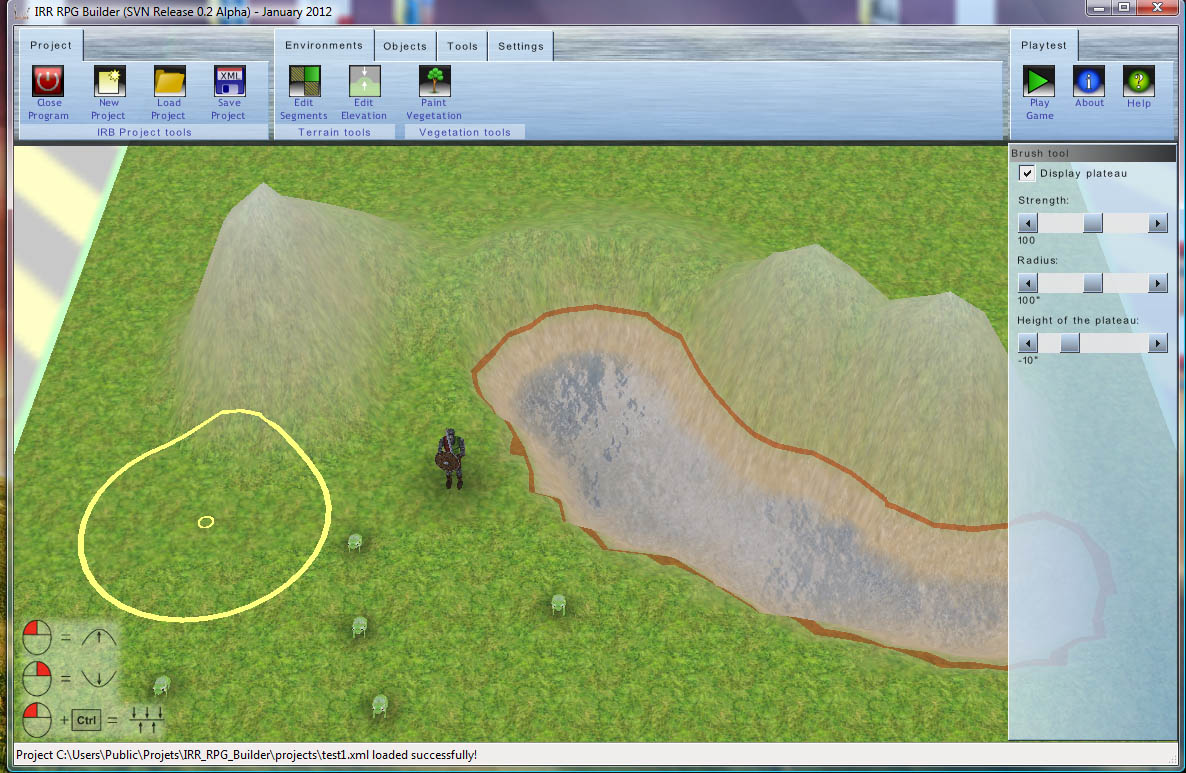
Expected image:
Here is what the display should look like: (rendered from my PC with a NVidia card)
Resulting image:
Here is what the display look like on my Core I3 laptop (Intel HD 3000 rendered):
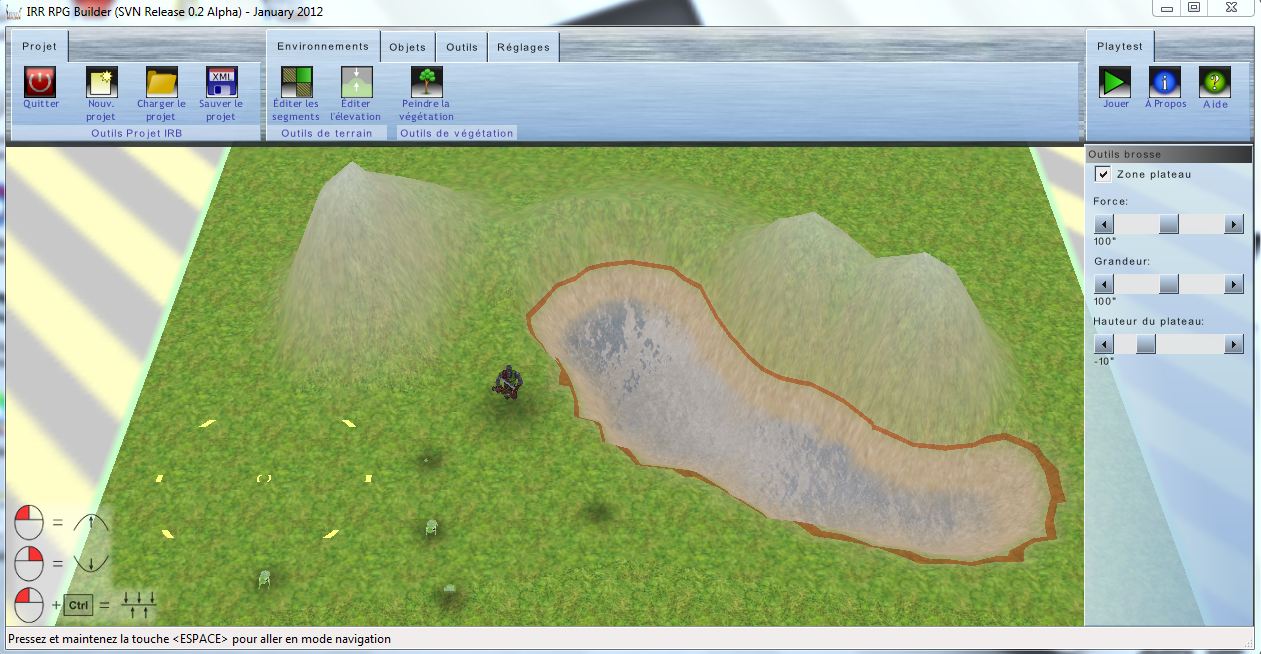
If you look here, almost everything is ok, except that some frogs are not rendered (or partially), but we can still see their shadows.
The legs of the players are clipped and we can see the effects of the clipping on the circle of the "terrain brush" that is clipped as it's moving on the terrain.
From my searches in the forum; most of the discussions about this was that this could be about "user clips planes". I'm really not sure. Somebody have a way to remove the clipping effect from the rendering? Or it's unsolvable problem?


