The Dustbin Framework

Announce new projects or updates of Irrlicht Engine related tools, games, and applications.
Also check the Wiki
Post Reply
Brainsaw
Posts: 1259
Joined: Wed Jan 07, 2004 12:57 pm
Location: Bavaria

The Dustbin Framework

Post by Brainsaw »

Hello fellow Irrlicht users,

I have spent some time creating a framework, mainly for myself, and today I finished a project setup wizard which may help a lot. You can find it at https://sourceforge.net/p/dustbinframew ... ster/tree/

It comes with the following:
  • It uses "modules" which add functionality for applications. The modules cover e.g. 3d sound (using SFML), fonts (using freetype), a self-hacked localization system, some additional scene nodes (including the "unknown scene node" which can load any scene node - it won't display what's intended, but at least the data is not lost) and physics (using the "Open Dynamics Engine" at the moment)
  • It uses JSON files to define a project. There are two files included in the "Scripts/MakeCMakeWizard", "dustbingamesframework.json" tests the compilation of all modules and "dustbineditors" compile a GUI editor and two 3d editors, one with physics and one without
  • There is a main class which just runs commands (more on that later)
  • Inside the main class there is a "Data Hub" which gives access to all important object instances and creates the Irrlicht device. By default it uses OpenGL, but it's not complicated to create another data hub which uses some different settings, an instance of this new hub must then be added to the main class before the hub is called
  • When a new project is created some code is automatically added, one cpp file which contains the "main" function and can be modified and one cpp file which contains code to initialize modules (some of them need initialization, e.g. factory registration)
  • The functionality of the apps is encapsulated in "Command" classes. These commands may or may not handle Irrlicht events and can implement a function which is called for every frame
  • There is a command stack in the main class which can contain multiple commands, and they communicate using messages from auto-generated code (although this needs some rework). The idea is to split the application into commands depending on the functionality, e.g. the UI of a game is in another class than the work, and they don't know anything of each other but just send and receive messages. This way one can easily replace the UI depending e.g. on player choice
  • The framework itself comes with a GUI editor and two Scene editors, one with and one without physics. One of my ideas is to create two scene editors per game, one for the developers and one which can be published with limited funcationality, e.g. no option to modify the cars in a racing game
  • The whole thing is licensed under the terms of the ZLib license
I know that there is still a lot to do in order to get it really ready for production code, but I wanted to show it. I created this mainly for myself to get future projects started faster, but I want to give everyone an oportunity to also use it.

One set of "modules" I want to include soon is for the Steam libraries, Steam Input seems interesting, and I just entered the waiting list for the Steam Frame, so I want to add a module for VR as well (and Google AI says it's not too complicated)

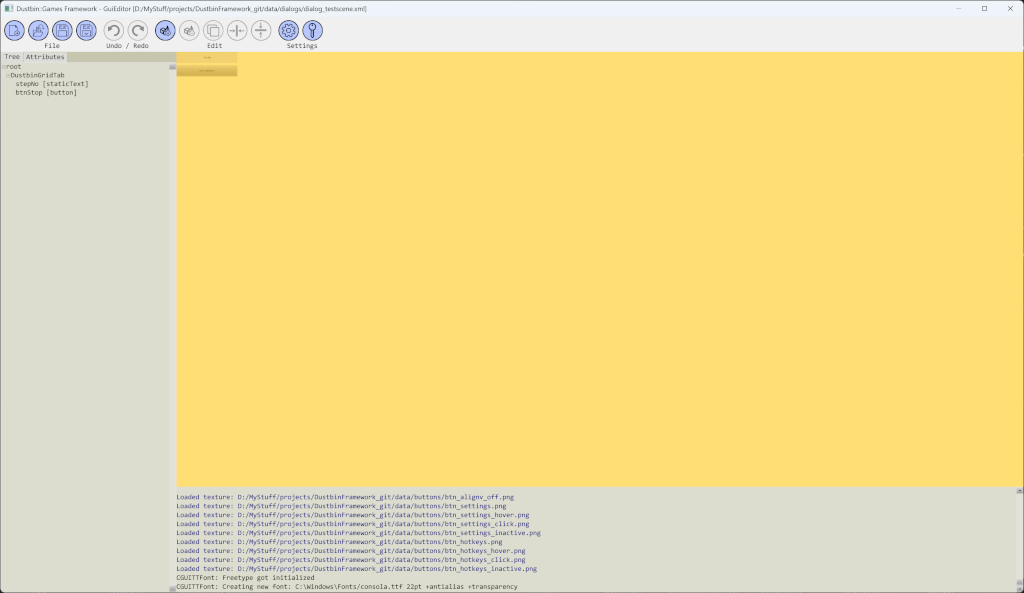
Here is a screenshot of the GUI editor (not spectacular, I know)
Image

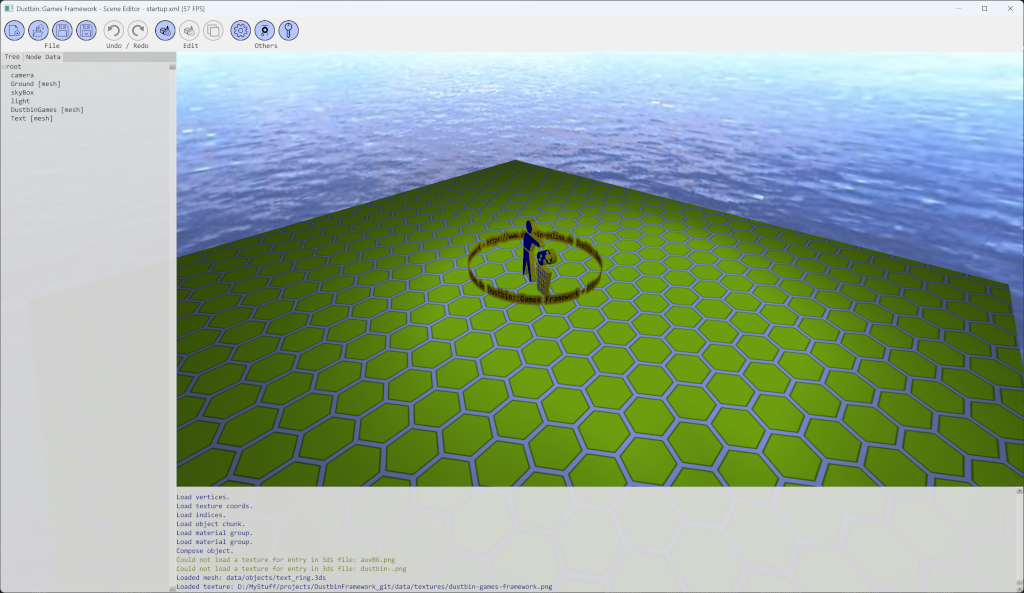
And a screenshot of the scene editor
Image

What do you think of this?
Image
Dustbin::Games on the web: https://www.dustbin-online.de/
CuteAlien
Admin
Posts: 10057
Joined: Mon Mar 06, 2006 2:25 pm
Location: Tübingen, Germany
Contact:

Re: The Dustbin Framework

Post by CuteAlien »

Having a scene editor with which you are familiar is always good. I remember back when I did my H-Craft editor I never expected to use it for anything else as it was a bit primitive. But turned out even a simple editor beats doing scenes by hand and I used it in another project later :)

As for the framework part.. I don't know. Tell us if it was useful if you ever do another project with it :-) I'm more of a copy-paste guy so far (check old projects, look what's useful). Stuff like a good command system can be helpful. The tricky part often turns out to define the exact meaning of what it should handle. What's an action, what's a command (like does the user do commands and those trigger actions or other way round - I've seen both...), can they be chained, how are commands and events related (or not at all), stuff like that.

Anyway - thanks for making it free!
IRC: #irrlicht on irc.libera.chat
Code snippet repository: https://github.com/mzeilfelder/irr-playground-micha
Free racer made with Irrlicht: http://www.irrgheist.com/hcraftsource.htm
Brainsaw
Posts: 1259
Joined: Wed Jan 07, 2004 12:57 pm
Location: Bavaria

Re: The Dustbin Framework

Post by Brainsaw »

My main idea with the scene editor is that I can integrate the actual game into it, like for a car racing game you have a track editor and you can test your track without changing the application. The project "SceneEditor_ODE" has physics built in, and the "Test Scene" button copies the whole scene and starts a simulation with that copy. I want to start a demo project soon, like a simple car racing game ;) , mainly for me as a test on how it works out, and as a demo of course.

I also used the copy-paste approach a lot, but at some point I realized that I should have had a stricter system dividing things up, at the moment adding new features to MarbleGP is really hard because I just coded without those ideas in the back of my head, so it got really complicated

I already had a command system in some old projects, but there was always a single active command, now it's a stack and all of them are active. This way it should be easy to change things, e.g. if you have a game which includes a replay system you only change the command at the very bottom which normally does the physics calculation and sends messages with the changes to the other command and replace it with a command which reads the physics messages from a file and send those to the other commands.

I've been using a message based system for a long time and it always worked for me, but this time I tried to go a bit further. I also tend to forget the initialization of certain classes, e.g. registering a scene node factory, so I automated that.
Image
Dustbin::Games on the web: https://www.dustbin-online.de/
Brainsaw
Posts: 1259
Joined: Wed Jan 07, 2004 12:57 pm
Location: Bavaria

Re: The Dustbin Framework

Post by Brainsaw »

Fun story: when trying to use the Scene Editor (ODE) inclulded in the framework picking nodes and using the move arrows did not work. When I switched back from my Dustbin Shaders to default Irrlicht rendering it worked. As I was completely clueless at first I asked google AI, and it told me that there are problems with custom materials (aka "My Shader"). After trying some solutions and debugging a lot it turned out the I simply need to reset the viewport to it's original value. Node picking and the movement arrows do now work again
Image
Dustbin::Games on the web: https://www.dustbin-online.de/
Post Reply